DarkStar Tools
Modular security toolkit with CLI & GUI (PySide6) for authorized red-team workflows, lab environments, and structured reporting.
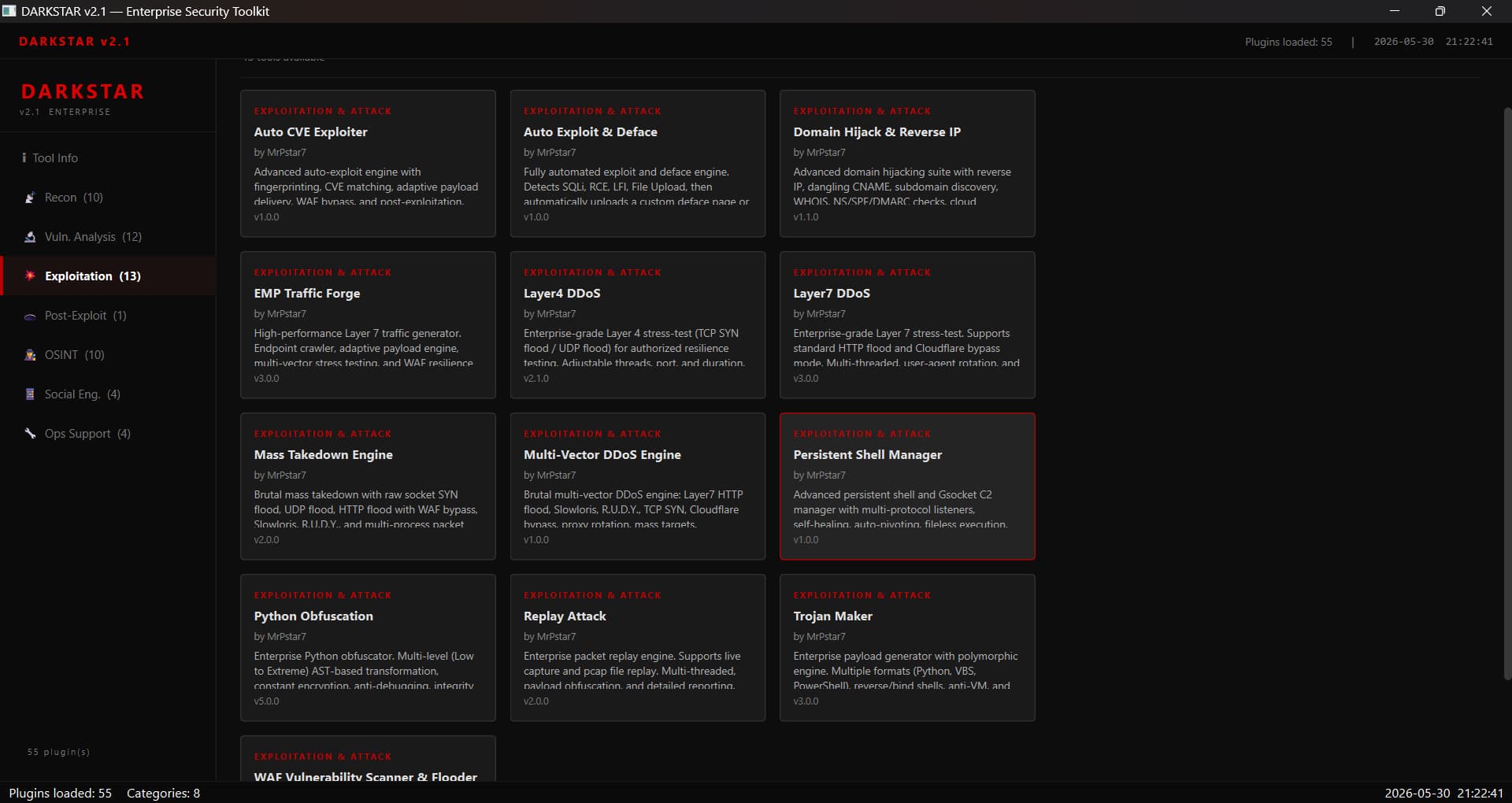
DarkStar Tools is a modular security assessment toolkit delivered in two connected interfaces: a terminal-first CLI and a modern dark GUI built with PySide6. Both versions share the same core plugin engine and target authorized red-team workflows, personal lab environments, and engagements covered by written authorization.
Problem
Many security tools are built as fragmented scripts with inconsistent interfaces. This creates friction during engagements where reproducibility, reporting, and clear documentation matter more than raw exploit count. I needed a toolkit that could be extended safely, run consistently across Windows, Linux, and Android Termux, and offer both a fast command-line workflow and an accessible desktop experience for evidence presentation.
Solution & Architecture
At the center is a plugin engine that auto-discovers modules from categorized directories (recon, vulnerability, exploitation, osint, post_exploit, etc.). Each plugin exposes a standard interface — metadata, priority, and a run() entry point — so tools can be added or removed without touching the core. This design keeps the core small and makes the toolkit easy to extend during an engagement.
CLI Version
The CLI provides a terminal-based menu with Rich and Colorama for a dark, readable UI. It supports asynchronous network operations via aiohttp, progress bars, and colored output. Users can navigate categories, select modules by number, and stream output directly to the terminal. This version is optimized for speed, low resource usage, and quick automation in headless environments.
GUI Version (PySide6)
The GUI mirrors the CLI feature set in a desktop application. It uses a tree-view sidebar to organize plugin categories, a stacked widget to switch between tool outputs, and a terminal-style output pane. Each tool runs in its own QThread so the interface remains responsive during long scans. The dark theme, custom stylesheets, and structured tables make it easier to present findings to clients or include screenshots in reports.
Key Features
50+ production-oriented modules spanning reconnaissance, SQL injection, XSS, LFI/RFI, brute force, OSINT, and post-exploitation.
Shared plugin architecture: a module written for the CLI works automatically in the GUI.
Cross-platform compatibility verified on Windows 10/11, Kali Linux, and Termux.
Configurable concurrency, proxy rotation, and User-Agent rotation for authorized testing.
Structured output in TXT, JSON, CSV, and HTML for evidence collection and reporting.
GUI-specific features: drag-and-drop target inputs, live log viewer, and export buttons.
Implementation Highlights
The plugin loader uses pkgutil and inspect to discover modules from the file system and register them based on attributes like _darkstar_plugin and _priority. This allows adding a new tool by simply dropping a .py file into the correct category folder — no modification to the menu or engine required. In the GUI, the plugin manager feeds the same registry into a tree model, ensuring consistency between interfaces. Async workers are separated from the presentation layer so both CLI and GUI can stream output without blocking.